MealMap
An AI grocery assistant covering the whole journey — from "what's for dinner tonight" to finding it on the shelf — one flow where the market has 3-4 disconnected tools.
What I did
Designed the 9-participant interview protocol and ran 4 sessions · synthesized thematic analysis · created the journey map, task analysis, and competitive matrix · wireframed and prototyped all 6 core flows · designed and ran 4 of the 11 think-aloud sessions with mixed quant scoring (SEQ / SUS / NPS / DRT) · iterated on findings.
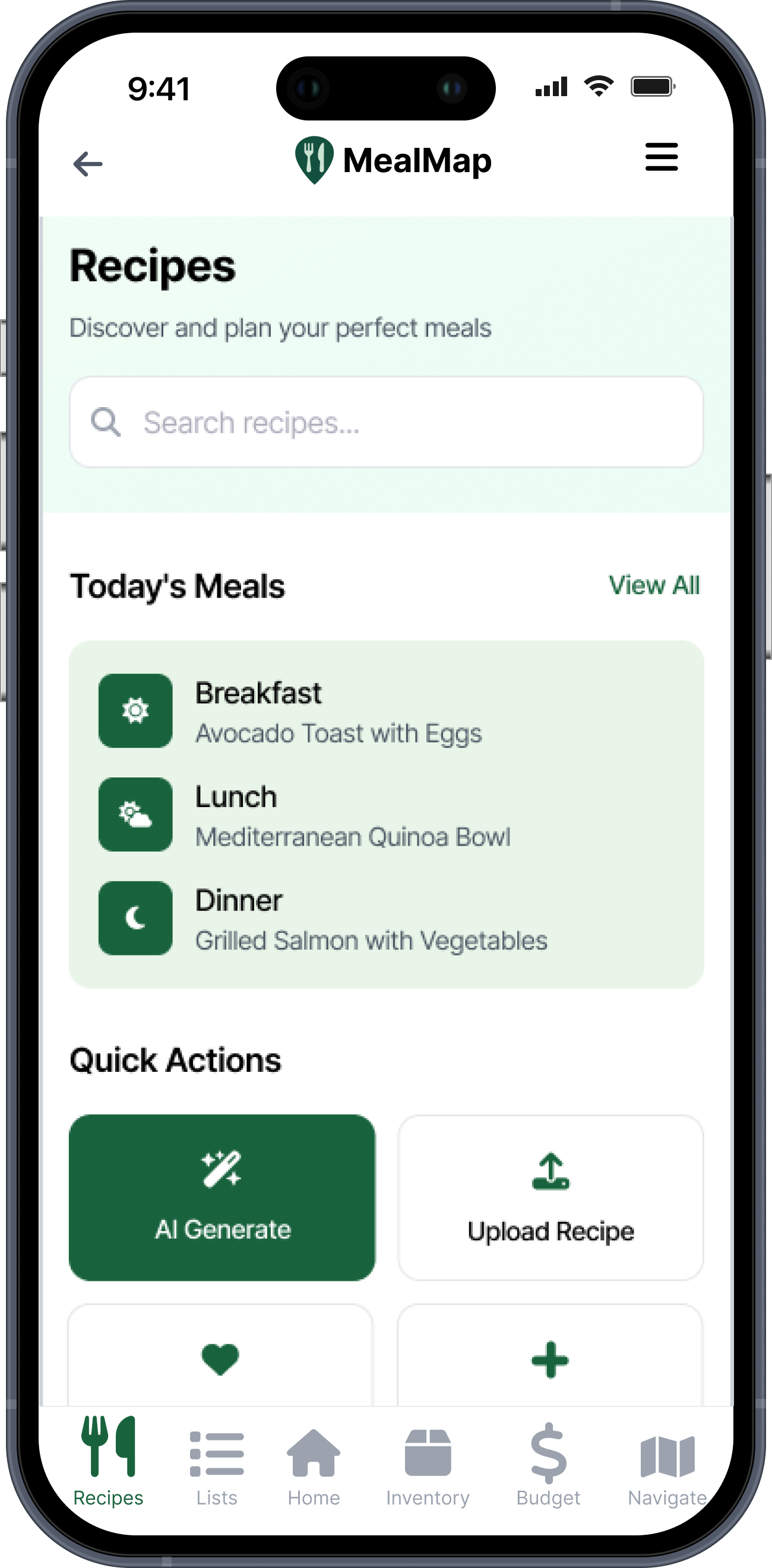
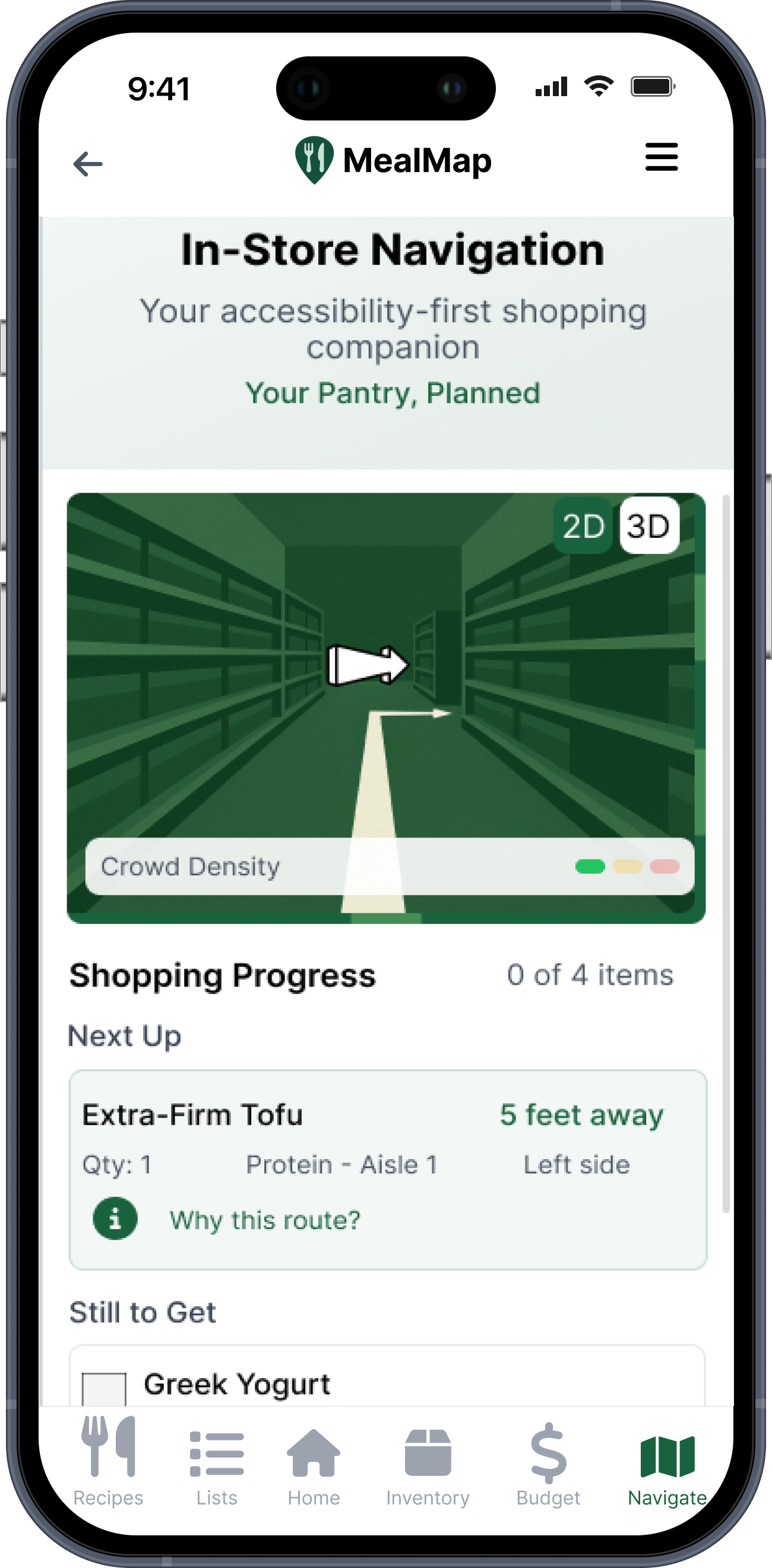
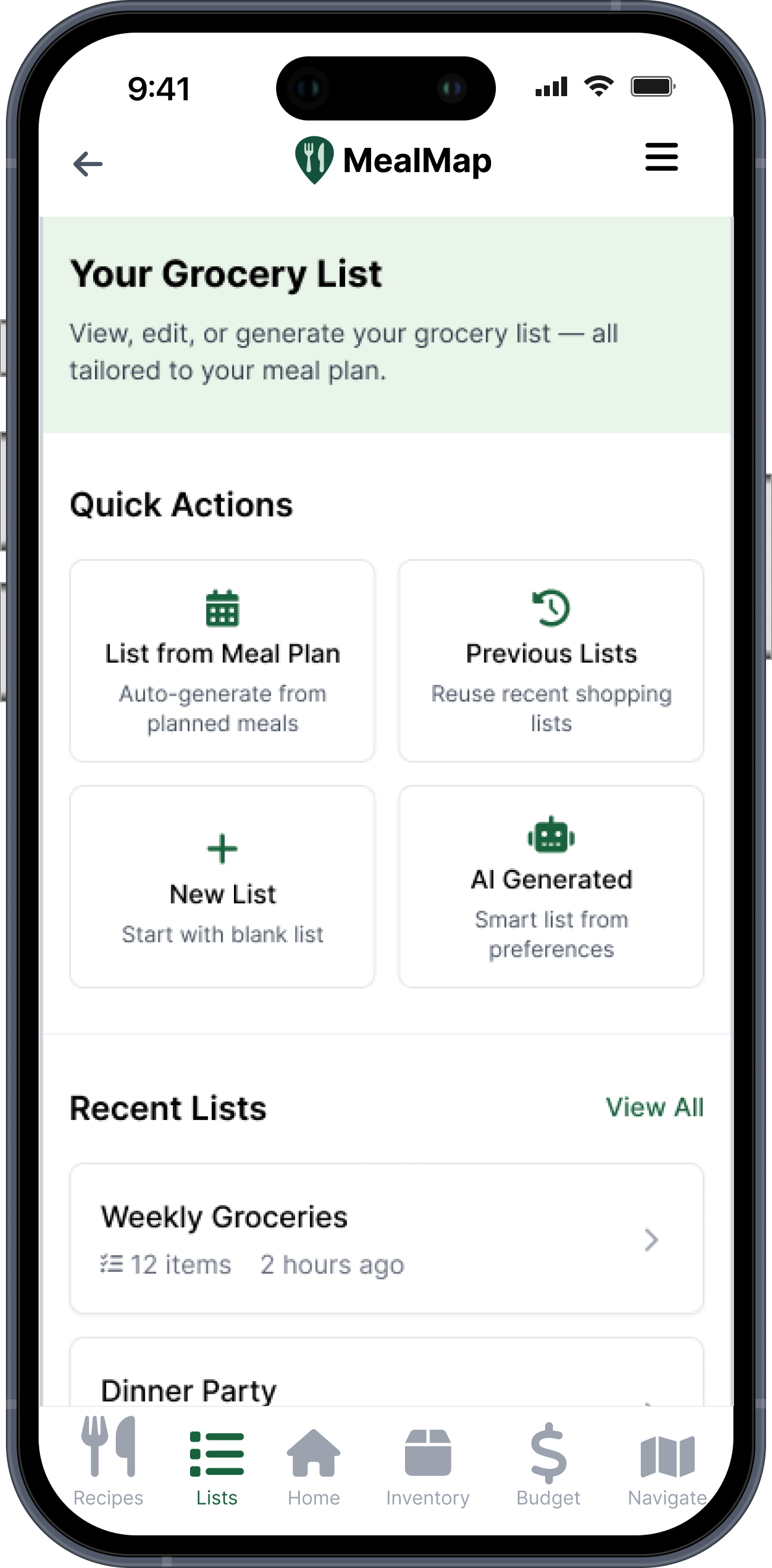
After one iteration cycle, both core tasks reached acceptable SEQ thresholds and sentiment shifted meaningfully positive. The remaining hard problem — in-store map confirmation — is named honestly in the reflection, with the next study already designed.
No single app does all of it.
One app to plan meals, another to navigate the store, a third for the pantry, a fourth for recipes — none of them talk to each other, and none adapt to accessibility needs. The fragmentation itself is the user's problem.
"How might we help adults plan meals and shop more easily using narrow AI — budget-aware lists, best-store routing, in-store item finding — while staying accessible for diverse needs?"
Design questionWhat we heard when we actually listened.
9 interviews, ages 24-64, on shopping habits, technology use, pain points, and accessibility needs. Two quotes crystallized the problem space immediately.
"We just stopped [meal kit service] because we don't like making those decisions — what to make for dinner. So, even though [meal kit service] is probably more expensive, it's so easy just to not think about what's for dinner tonight."
Participant 7 - decision fatigue around meal planning"When they do a reset, I can't find anything... I have to look up at the aisles and see where things are listed."
Participant 2 - in-store disorientation after store resets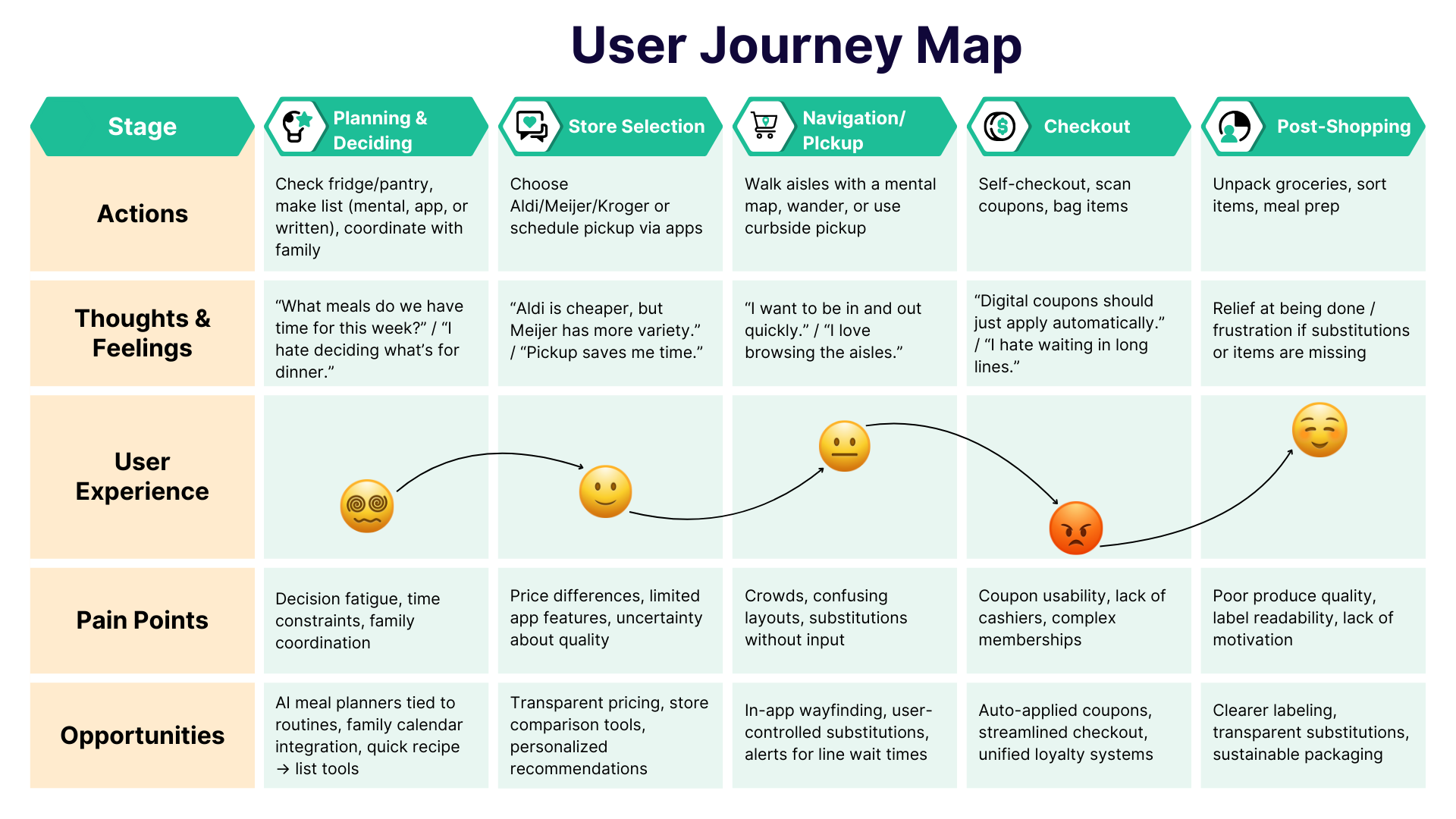
The journey map surfaced three recurring frictions: losing the written list, recipes scattered across tools, and locating items once inside the store.
Turning interviews into clear direction.
Decision fatigue
The mental load of "what's for dinner" pushes users to costly meal-kit shortcuts.
No all-in-one app exists
Users juggle 3-4 disconnected tools for meals, groceries, pantry, and cooking.
Items are hard to find
In-store disorientation, especially after resets or in unfamiliar stores.
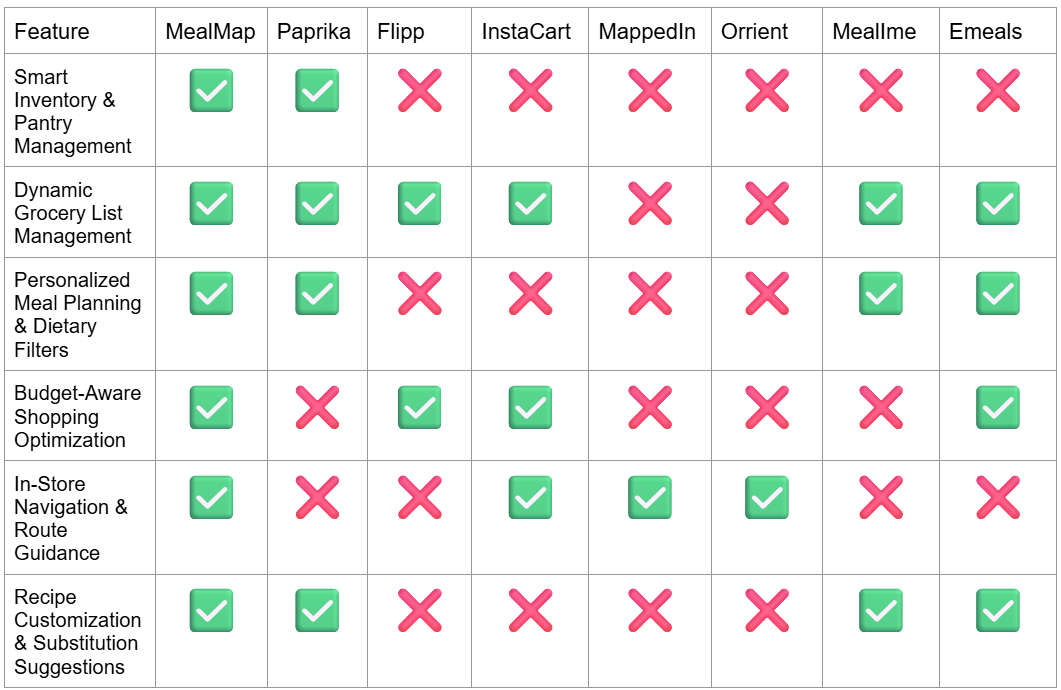
No competitor covers the full experience — a confirmed market gap, not an assumed one.
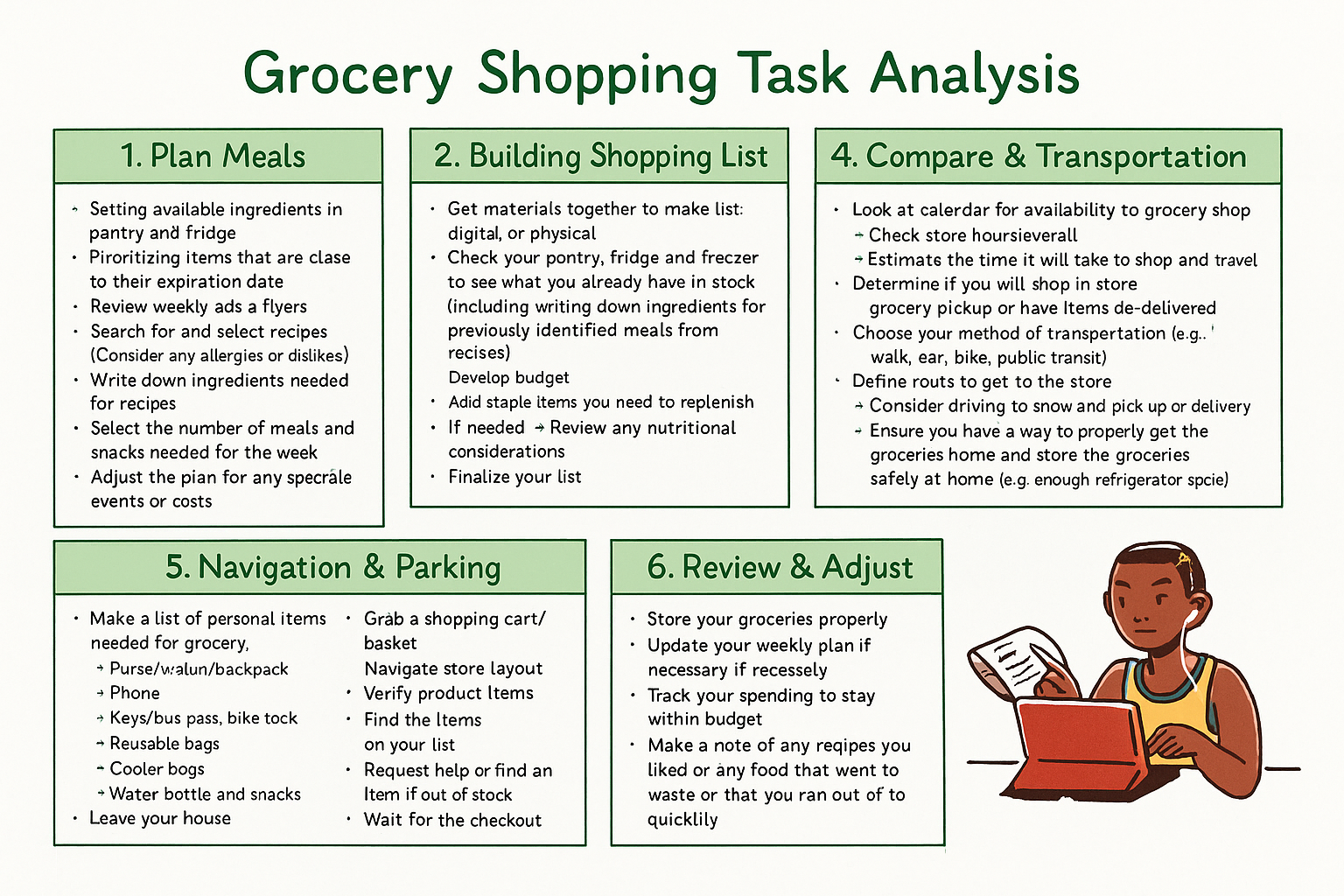
Task analysis showed where the tool handoffs break down — each handoff is a friction point.
From blank paper to tested wireframes.
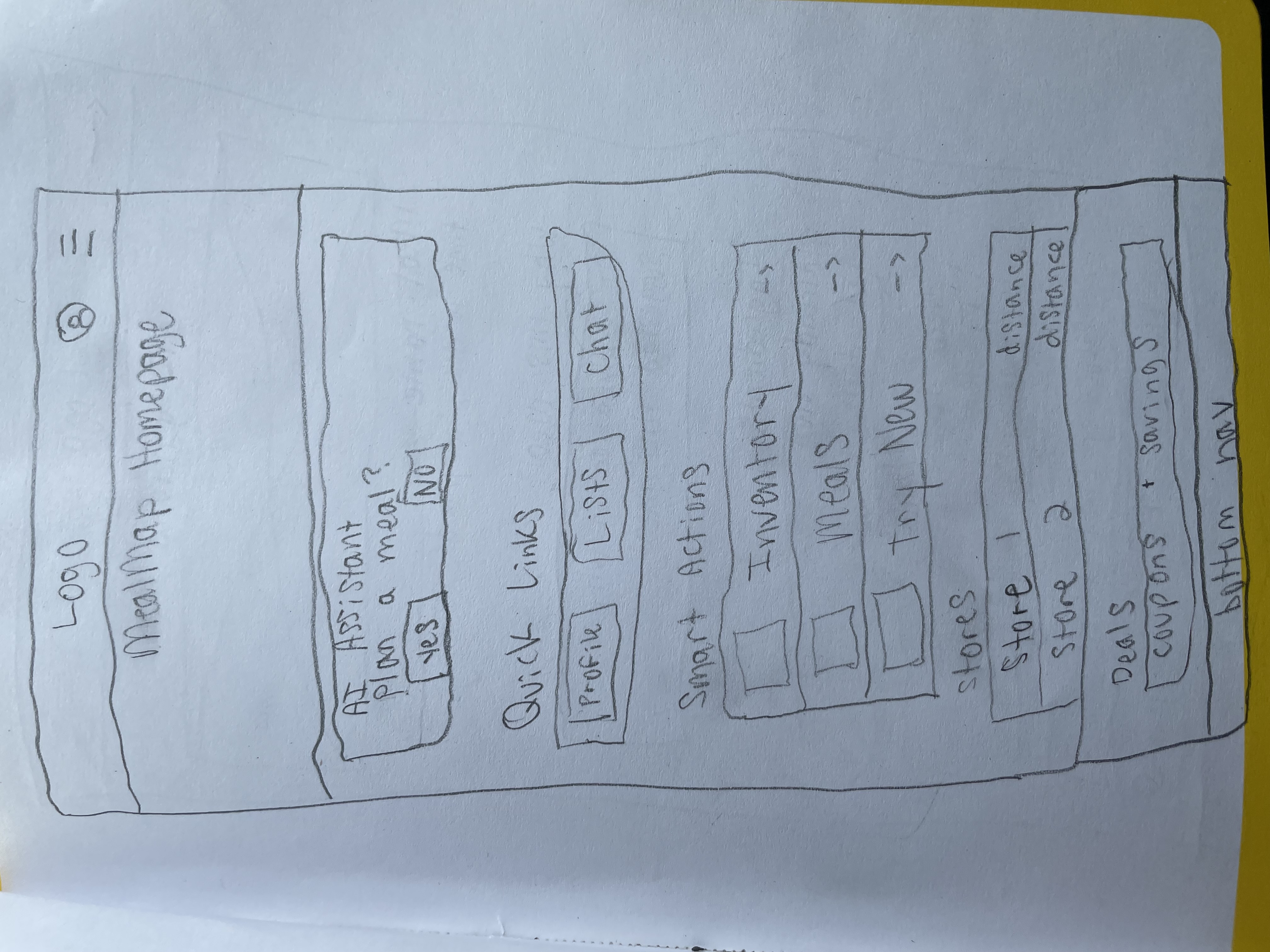
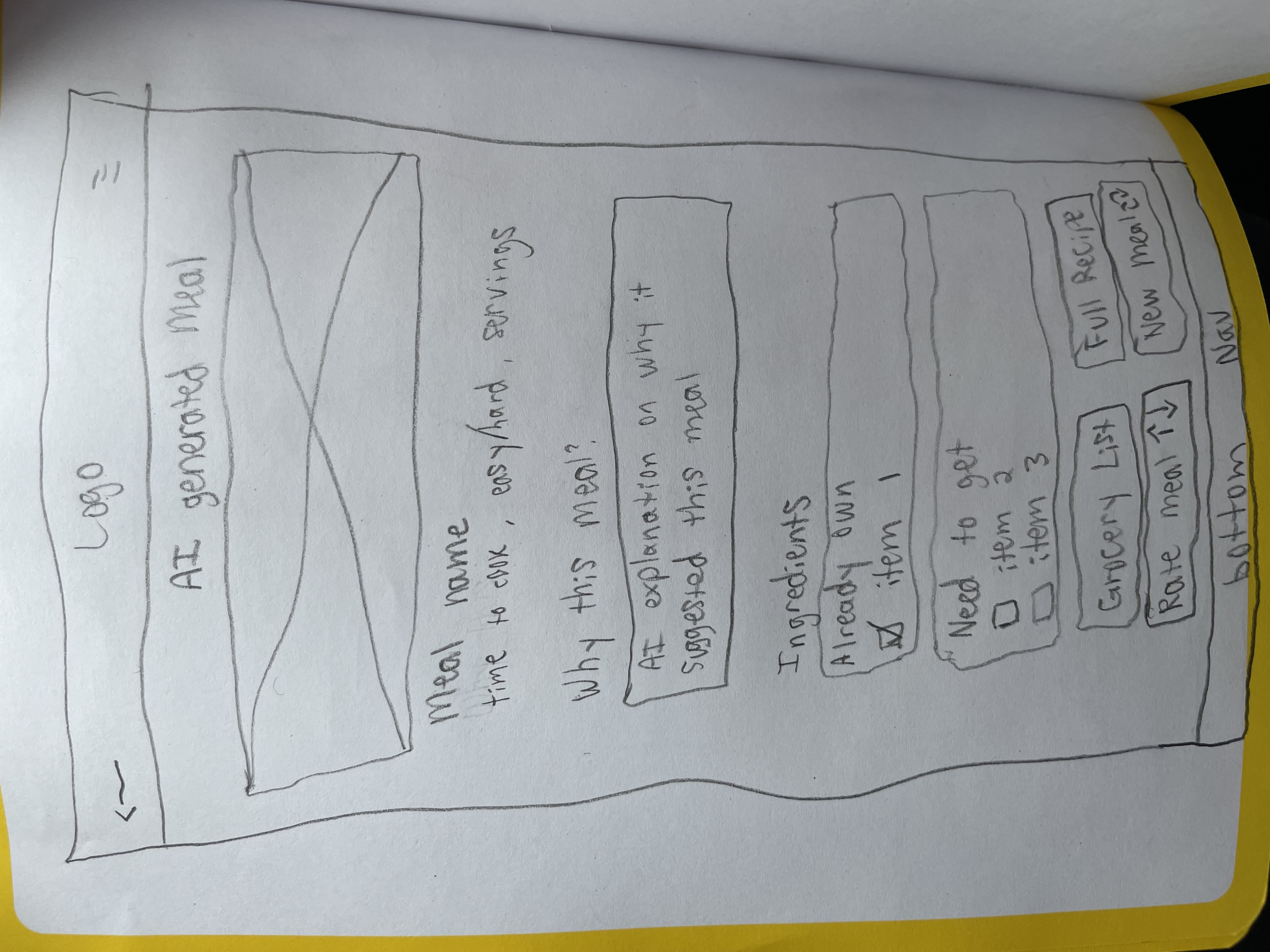
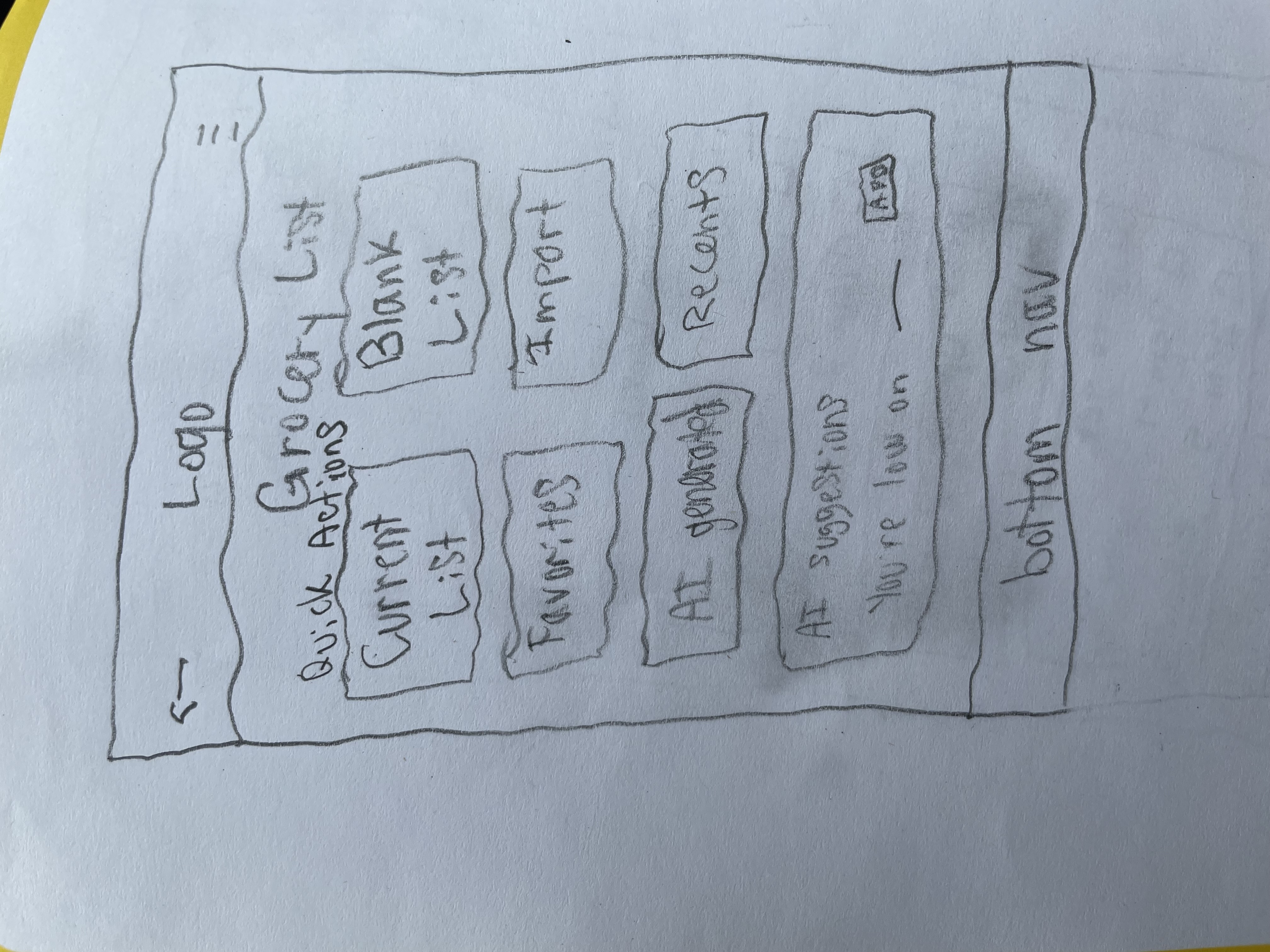
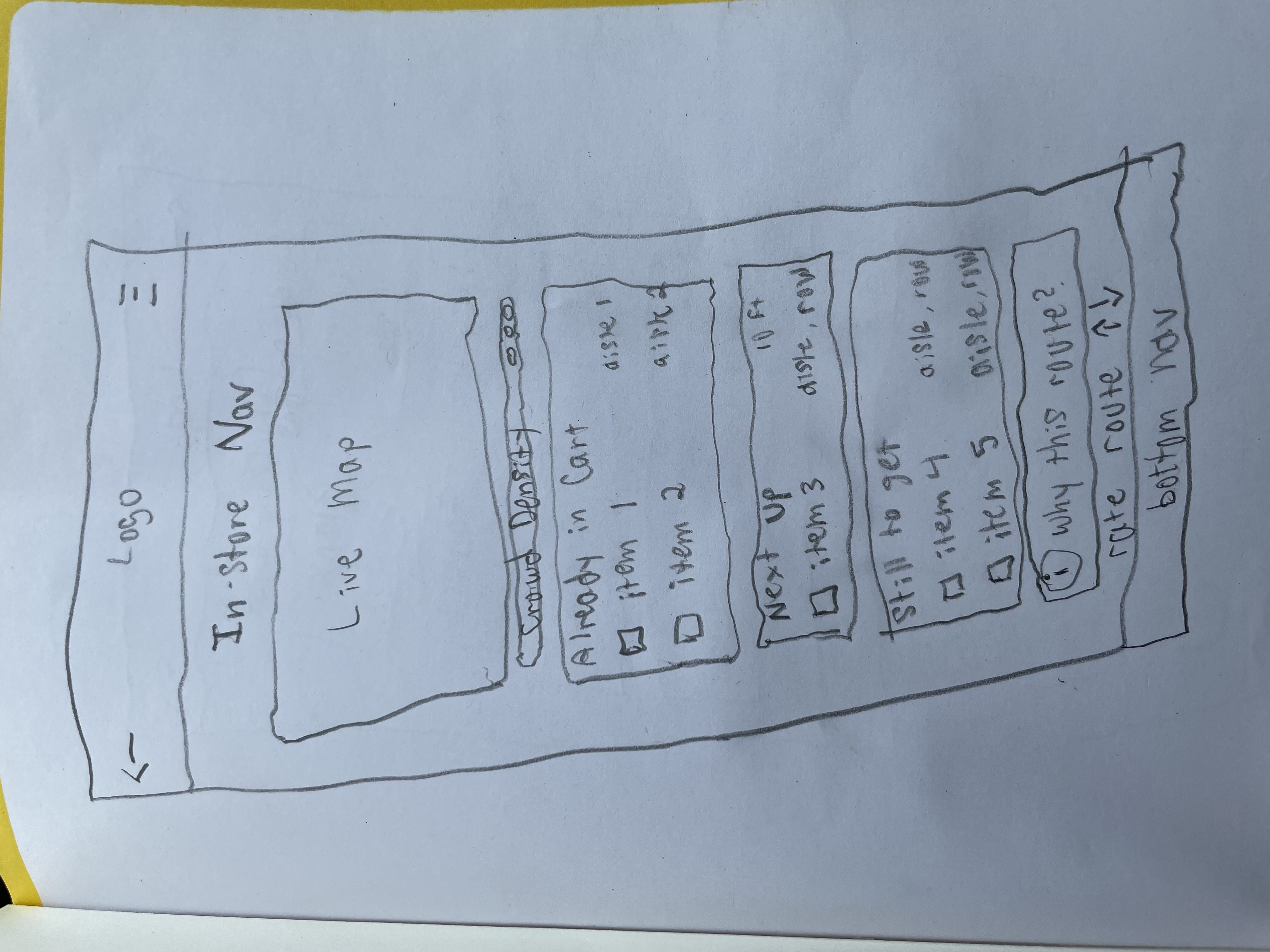
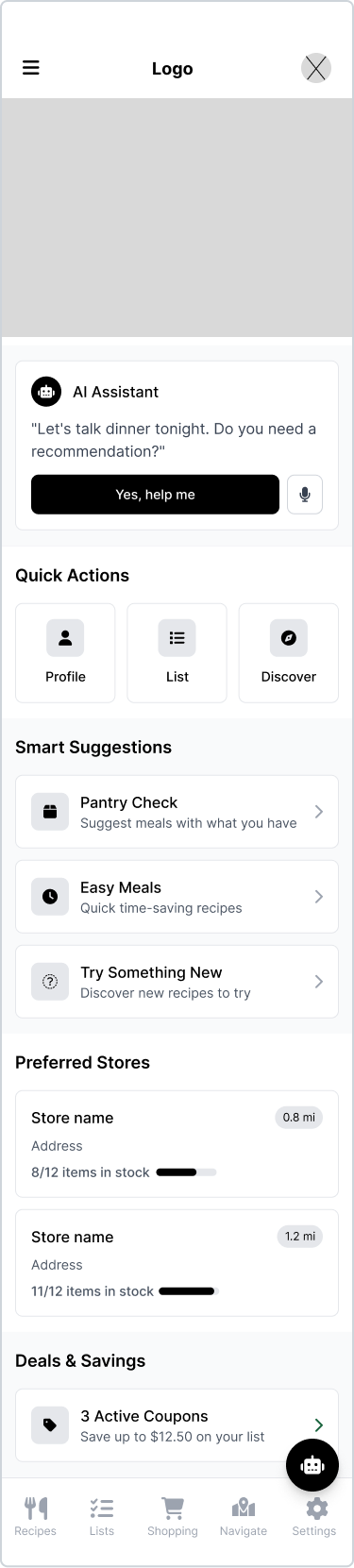
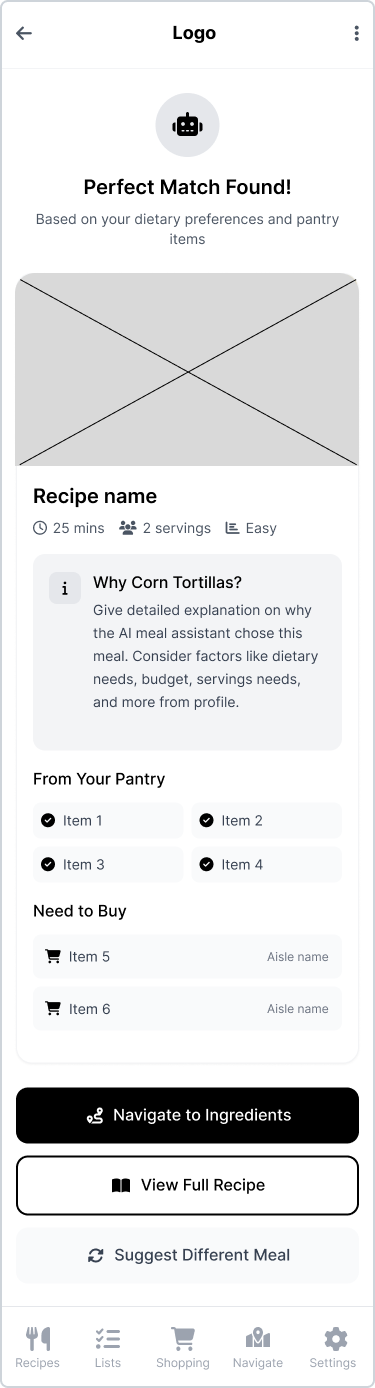
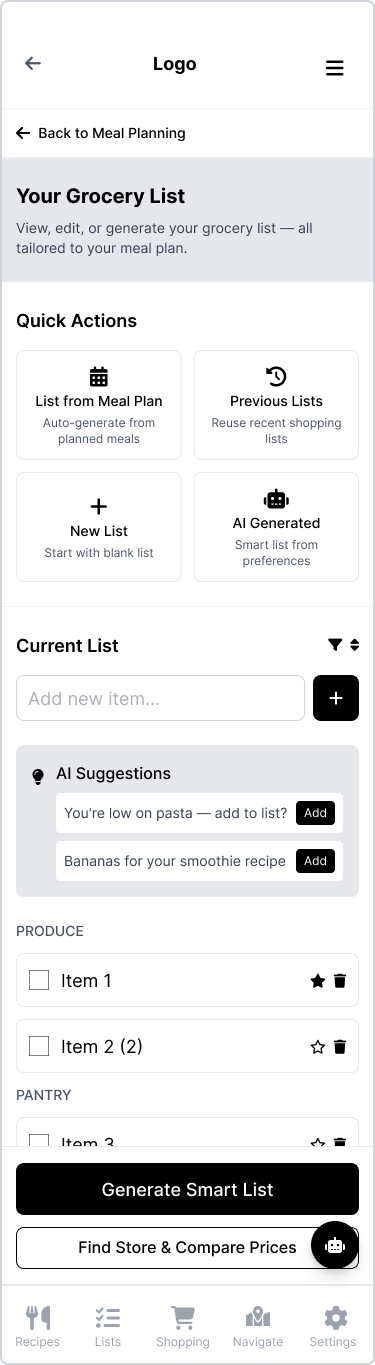
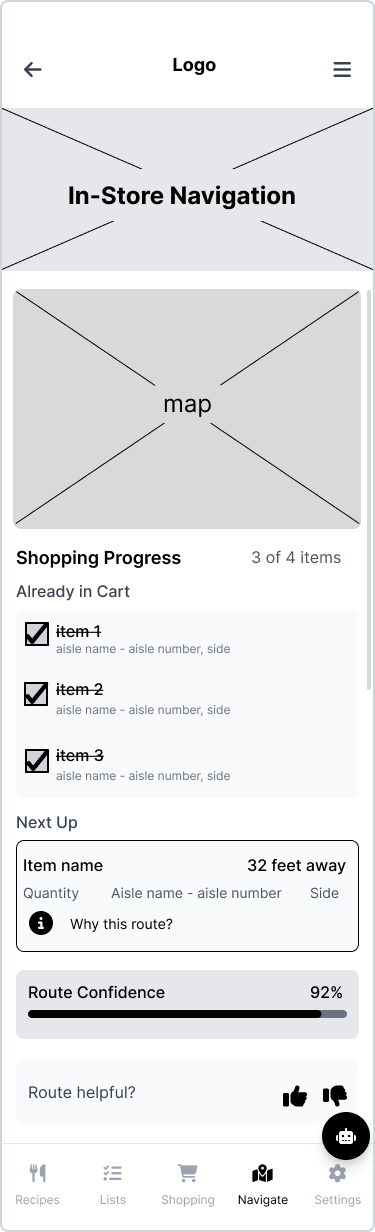
Hand sketches across all major flows, then straight to low-fidelity wireframes for usability testing — before any visual design was applied.
Hand sketches
Black & white wireframes
What changed. And why.
Testing showed which flows needed another pass before high fidelity. Two small changes had the biggest impact.
Confirming items: from auto-confirmation to digital scratch-off
Tried → Learned → Shipped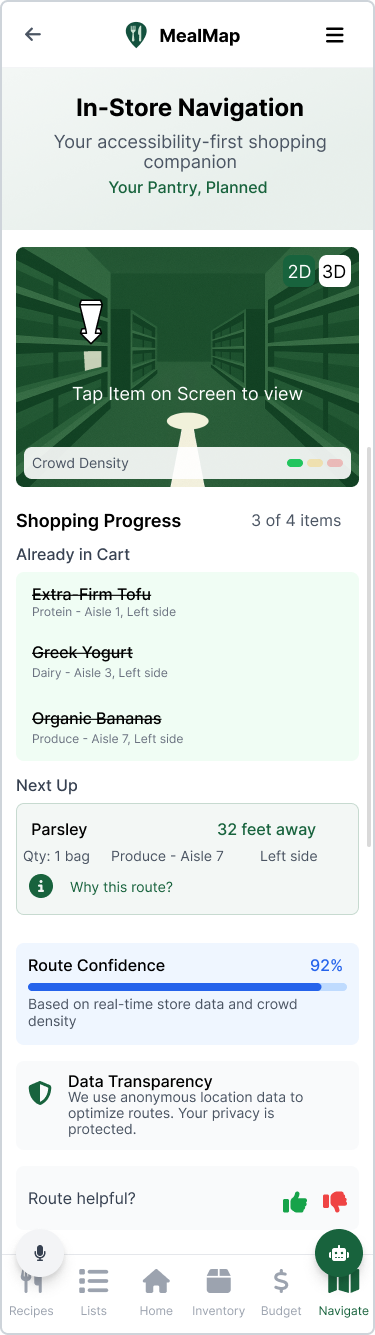
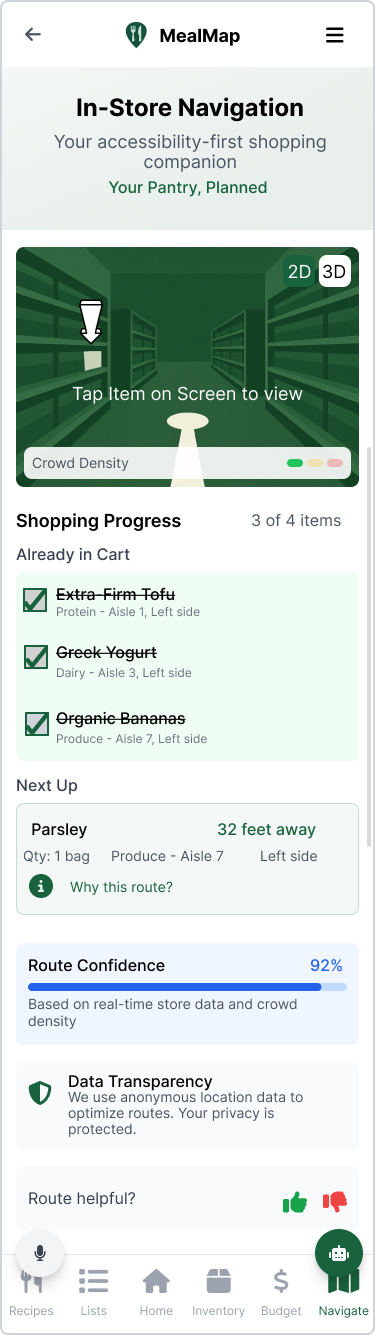
Result: users regained confidence in their purchasing ability — the mental model won.
Live maps: from 2D-only to a 3D option
Tried → Learned → Shipped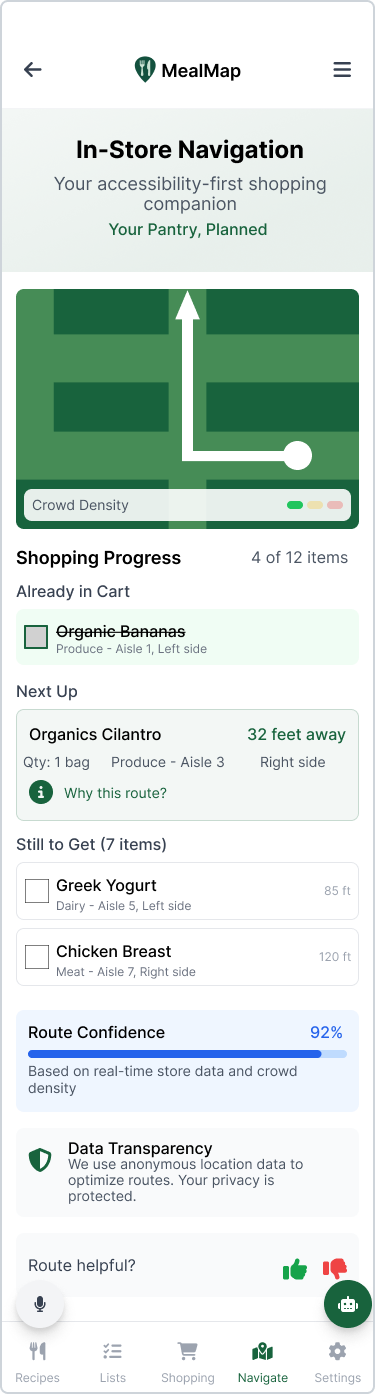
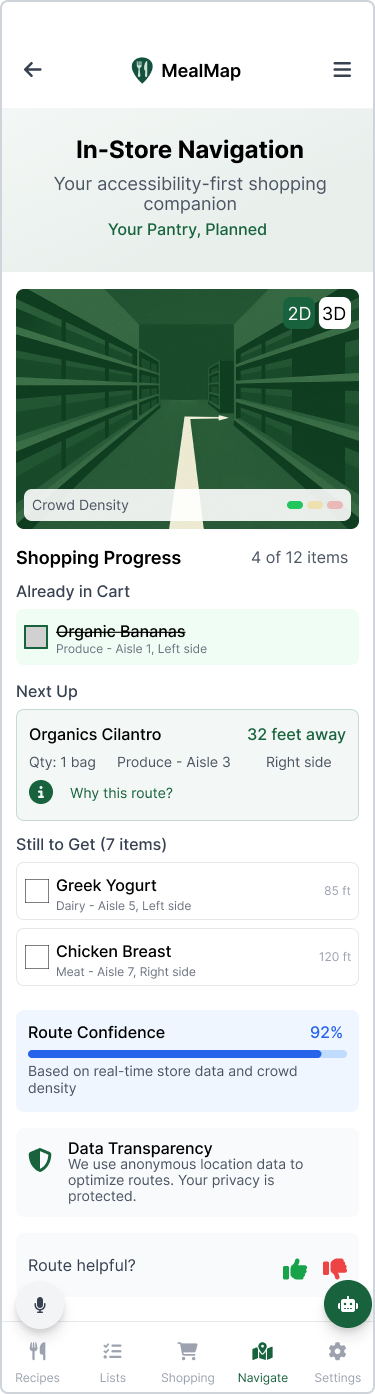
Result: the 3D map matched mental models and reduced reported overwhelm. In-store confirmation remained the hardest unsolved problem — see Reflection.
"Don't trust the spec; always talk to users. The 'all-in-one app' problem was three separate problems hiding inside one design brief — only the interviews surfaced that."
What iteration taught usSix screens. One complete experience.
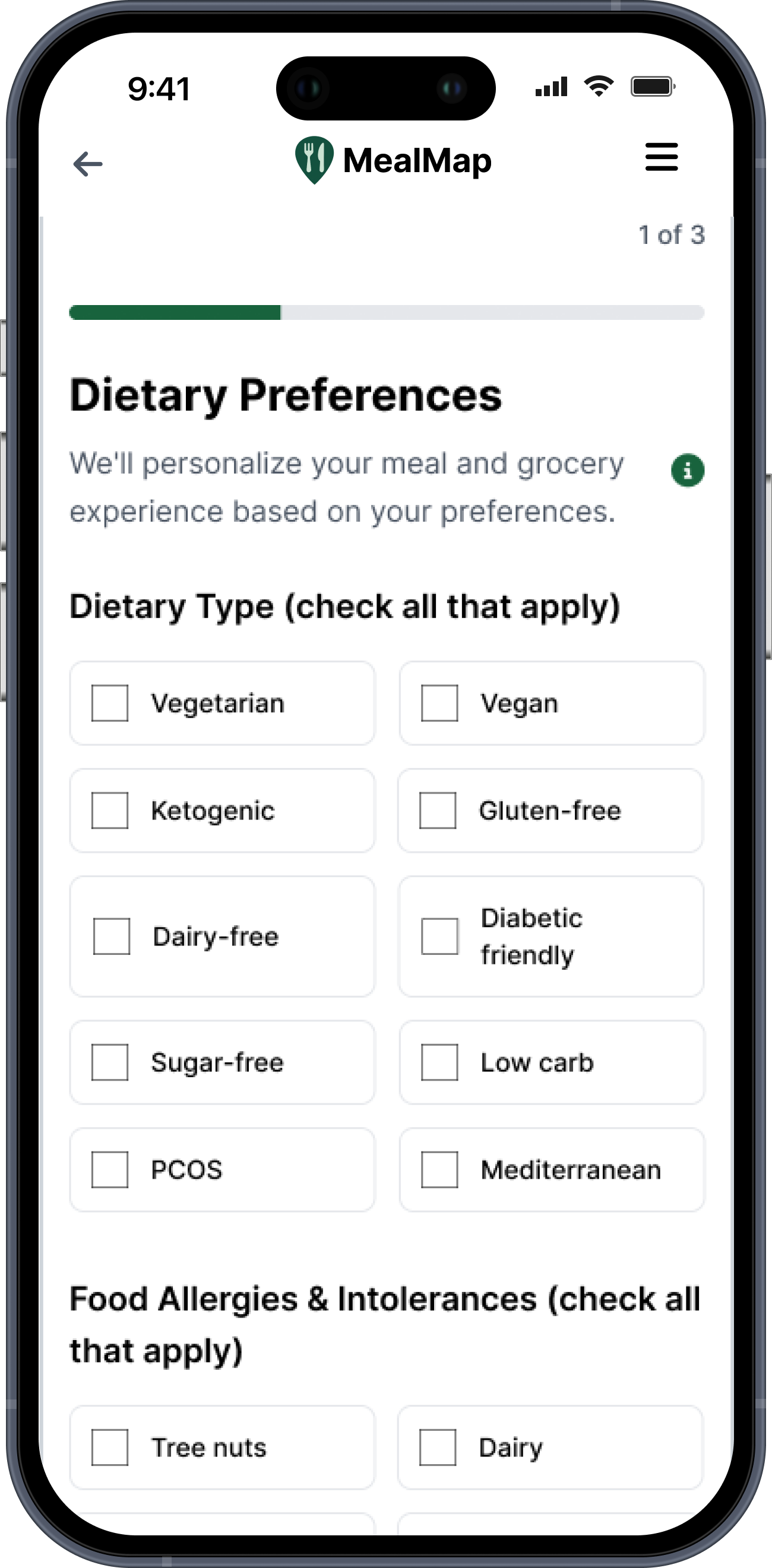
Onboarding — dietary, accessibility & personalization needs first
Recipes — AI meal plans, imports, favorites
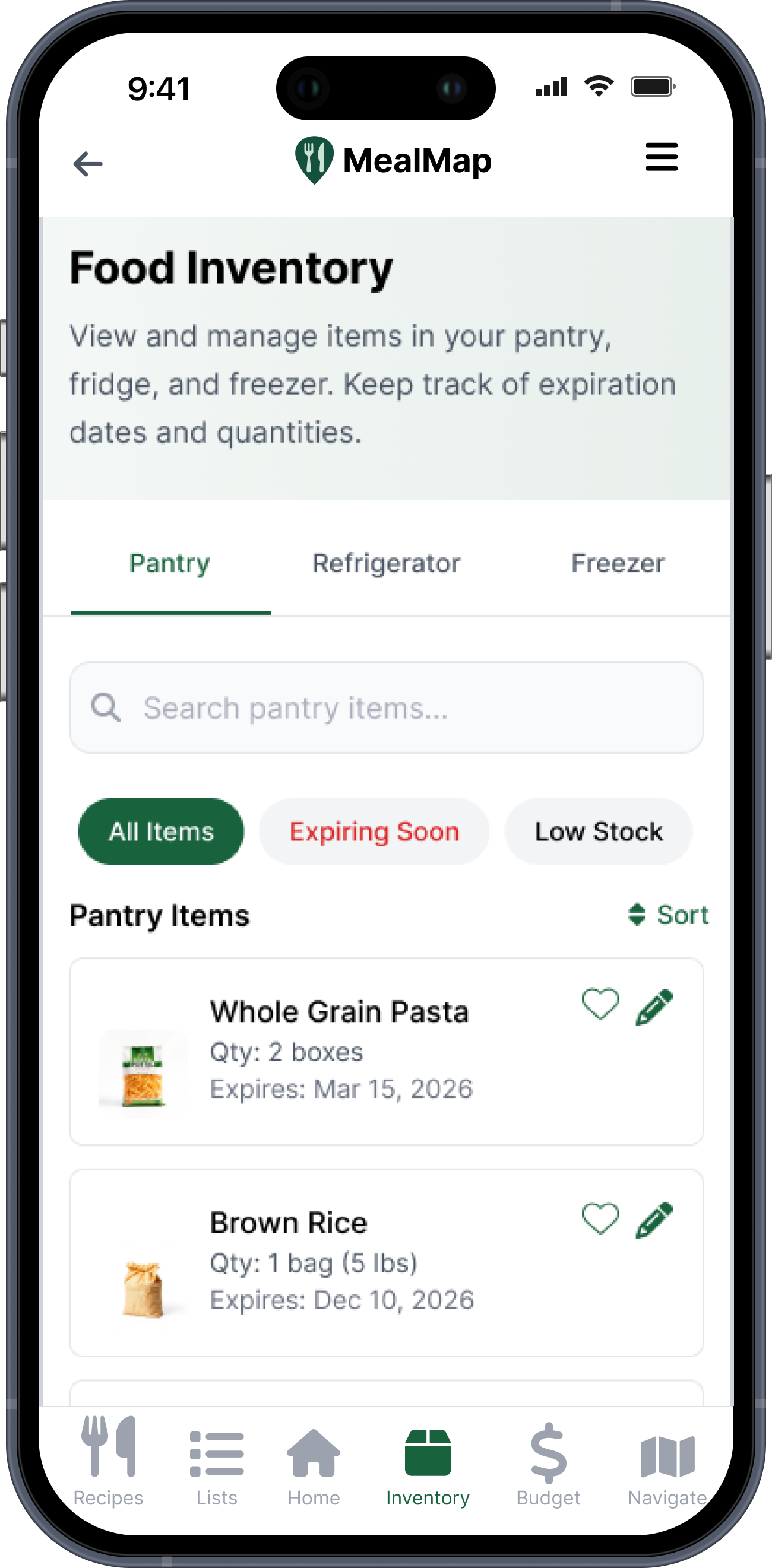
Food inventory — expiring soon, low stock, less waste
Grocery lists — "you already have milk"
In-store navigation — optimized route, substitutions
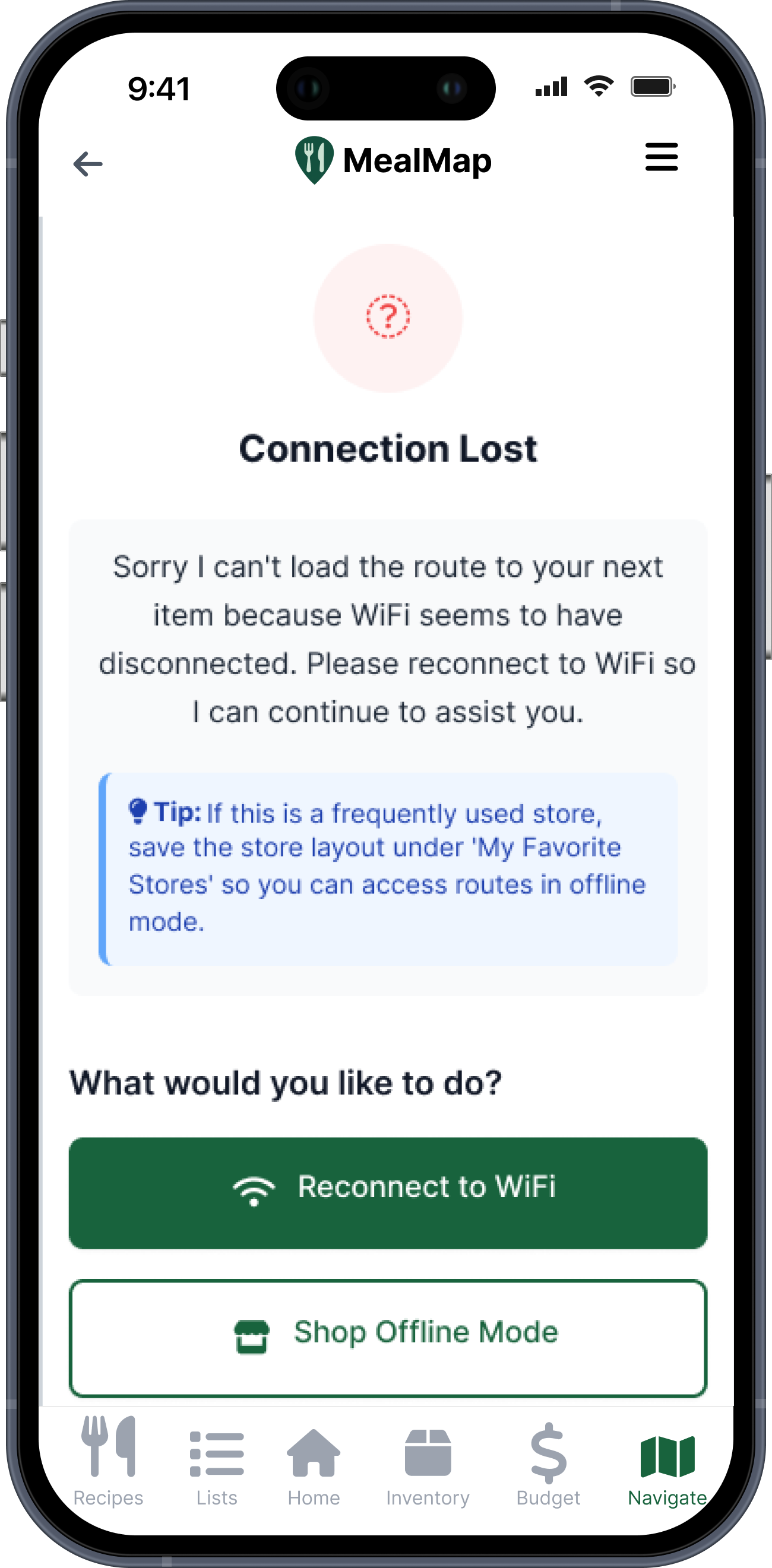
Error handling — AI fails gracefully; users are never stranded
Narrated with my design decisions.
Onboarding
Grocery lists
In-store navigation
Also available: Recipes · Food inventory · Error handling
Testing showed us where to push harder.
New participants, ages 28-63
Single Ease Question on both core tasks
System Usability Scale across sessions
My 4-dimension Likert scale for AI desirability, reliability & trust
Across all sessions + open AI-trust question
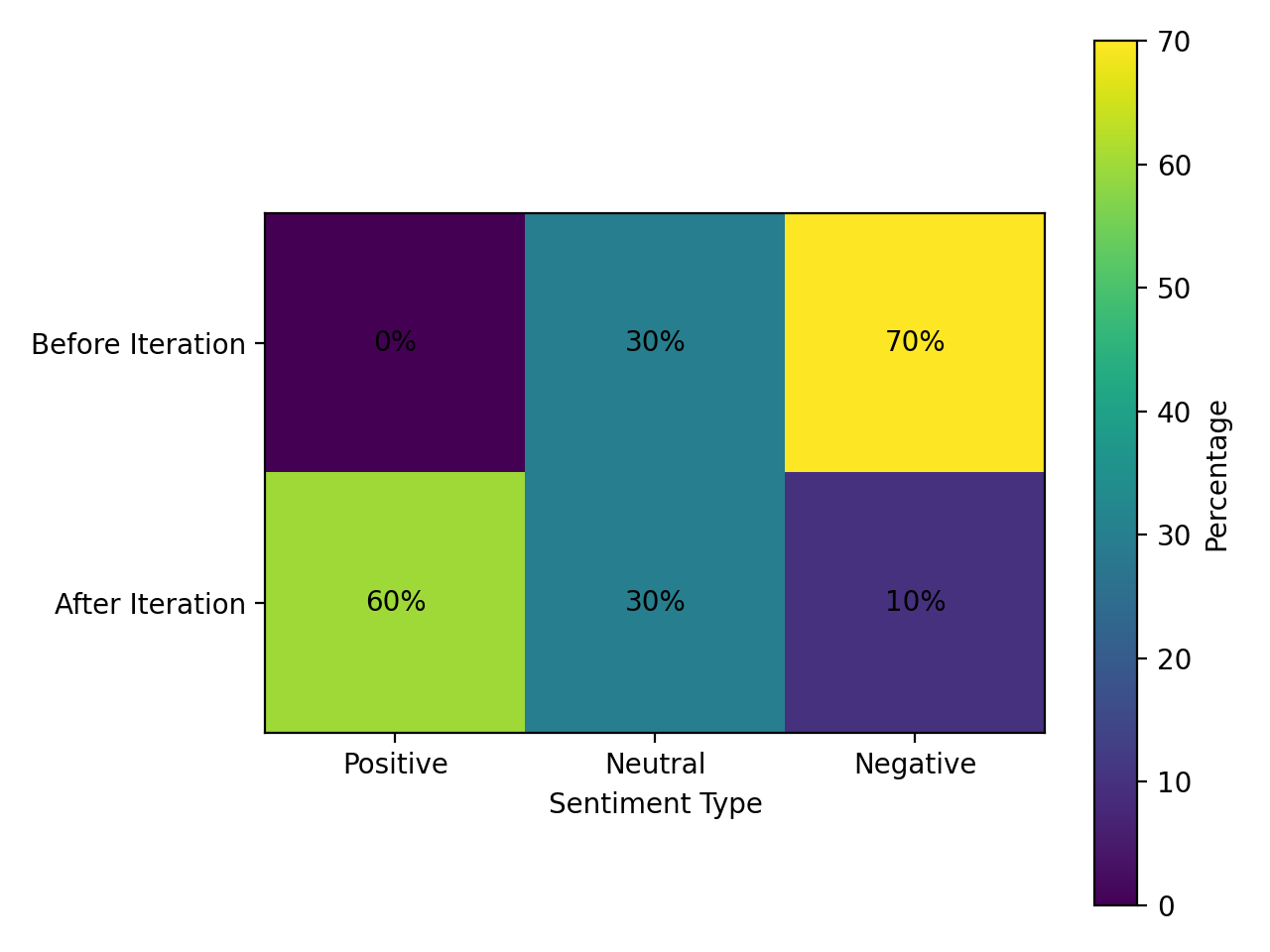
Sentiment shifted meaningfully toward positive after the first iteration round.
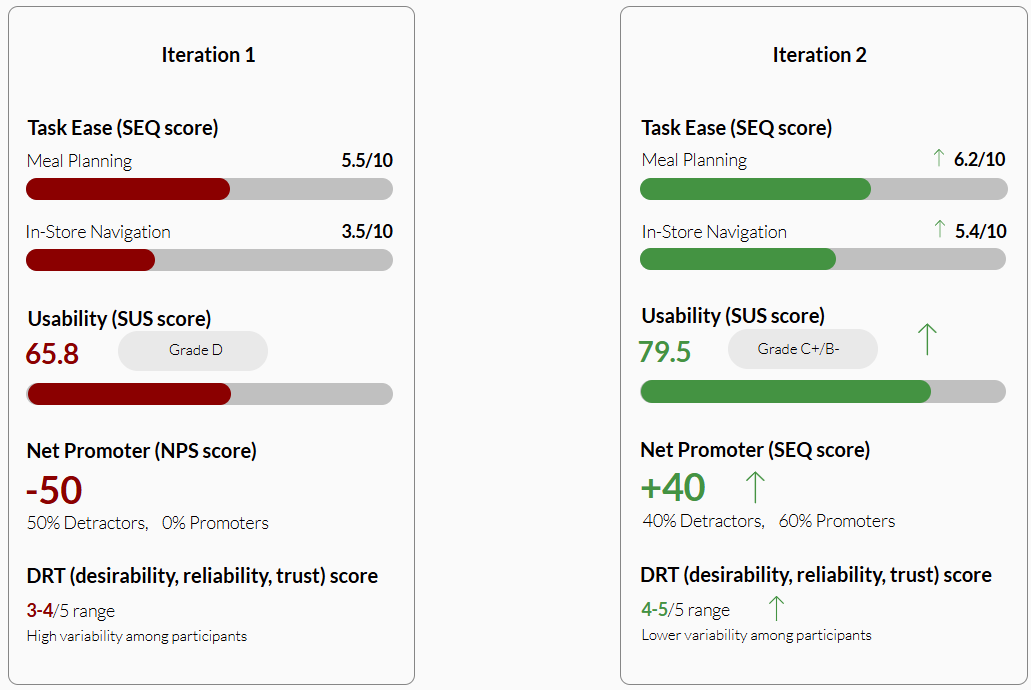
Post-iteration, both core tasks cleared acceptable SEQ scores — SUS, NPS, and DRT all improved.
What worked. What I'm still solving.
Wins
AI-generated meals directly answered the decision fatigue behind Participant 7's meal-kit dependency — the clearest design-to-research link in the project. Frequently-bought-item reminders were the standout favorite: "helpful, not intrusive."
What I'd run next
In-store confirmation still has too many steps. Next test: three confirmation patterns (list-only, gesture-on-map, audio-confirm) in a within-subjects design — plus explicit post-task exploration prompts, since several participants never saw the broader app.