Autonomous Rideshare
A multimodal HMI for blind and low-vision riders — peer-reviewed evidence that audio restores trust, identification, and navigation to near-parity with sighted users.
What I owned
Co-designed the between-subjects protocol (3 conditions × 6 tasks) · conducted 8 of 24 Wizard-of-Oz sessions with post-session interviews · co-authored the codebook, coded 8 of 24 transcripts, resolved discrepancies by consensus · contributed to Kruskal-Wallis interpretation · co-authored the Methods and Results sections of the SAGE manuscript · conducted the 27-paper literature review.
 SAGE · PEER-REVIEWED · 2025
A between-subjects experiment testing whether a multimodal (audio + visual) HMI restores autonomous-vehicle usability for blind and low-vision riders.
Read the full paper →Audio restored trust, vehicle identification, and navigation performance for visually impaired riders to near-parity with sighted users. Existing AV interfaces are vision-first; this study is peer-reviewed evidence that redundancy is not optional — it's the accessibility mechanism.
Most autonomous HMIs are vision-first.
Autonomous vehicles promise independent mobility, but blind and low-vision riders face barriers at every stage — identity verification, trip confirmation, en-route updates, unexpected events, and safe exit. The idea: a human-centered, multimodal HMI (audio + visual) that bridges the accessibility gap.
27 articles. One clear gap.
With fully autonomous vehicles changing fast, we bounded the review at 2014, filtered by keyword and abstract, and read 27 articles in full. The gap: few designs utilize a multimodal approach.
Six tasks. Every failure point mapped.
We broke the full ridesharing process down with impairment needs included — each task became a study condition for trust, navigation accuracy, and satisfaction.
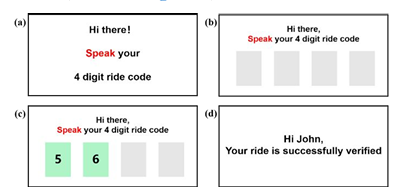
Identity verification
A spoken 4-digit code replaces visual QR codes blind riders can't use.
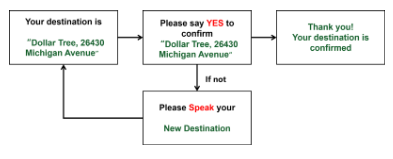
Trip confirmation
Destination read back aloud; the rider verbally confirms or corrects.
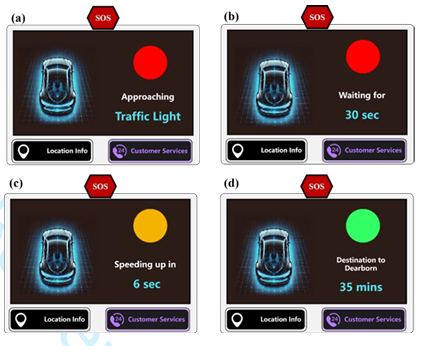
Driving updates
Proactive narration — intersections, signals, ETA — keeps riders oriented.
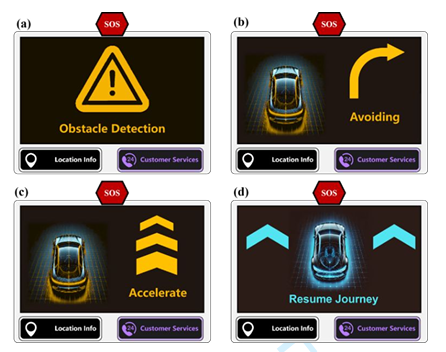
Unexpected events
A special mode explains hazards and evasive actions — trust when the vehicle deviates.
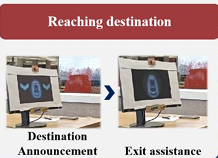
Destination arrival
A 3-minute pre-arrival alert with curbside context and orientation.
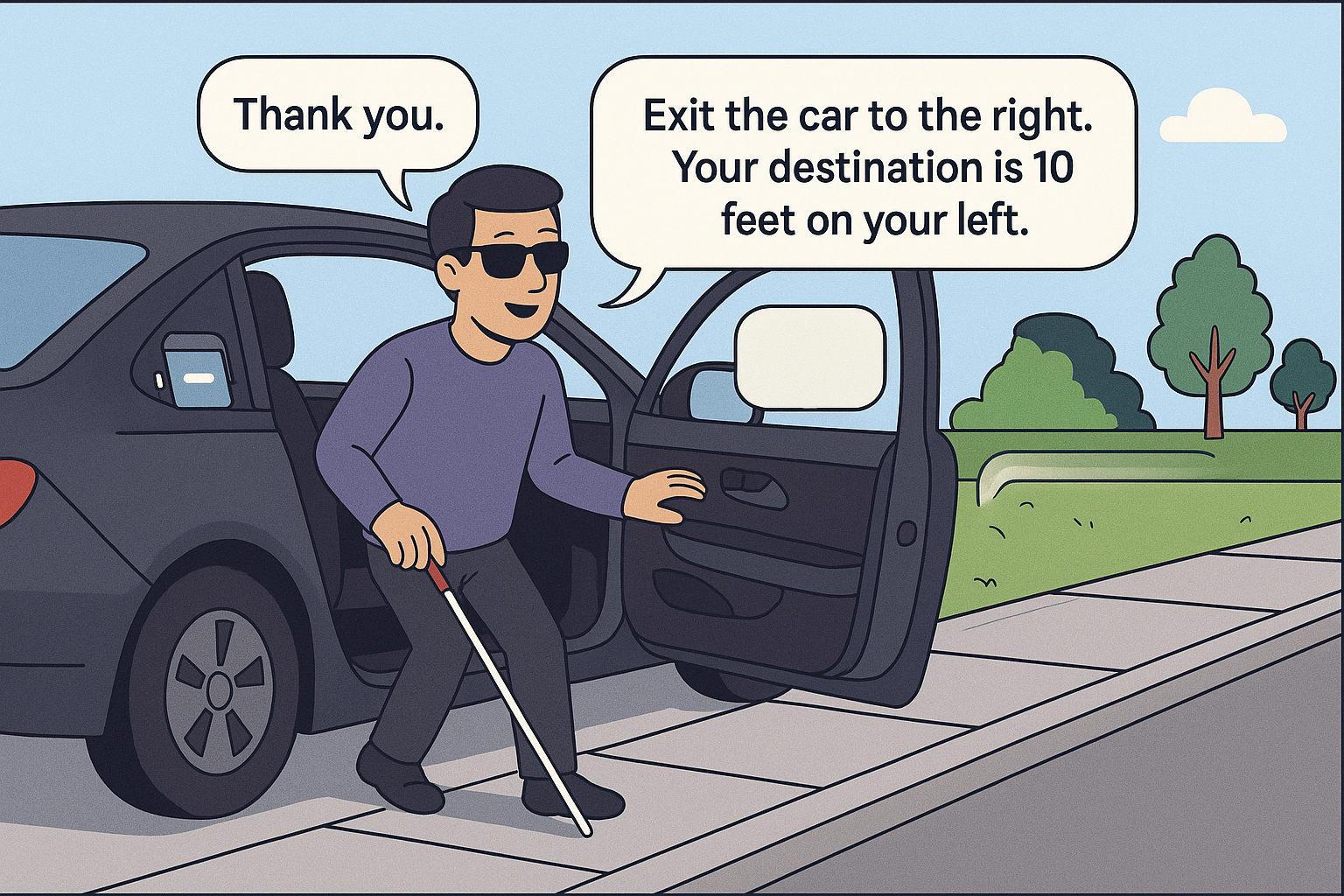
Exit interaction
Guided, step-by-step disembarkation without traffic risk or disorientation.
Methodological honesty: the Cambridge Disability Simulator standardized impairment for consistency — but simulation captures sensory degradation, not the adaptive expertise of people with lived visual impairment. Recruiting actual blind and low-vision riders is the highest-priority next step.
Memory supports
Predictive cues, consistent language, knowledge-in-the-world — lower cognitive load.
Perception optimization
Redundancy across modalities and progressive disclosure, regardless of vision level.
Attention management
Salience and urgency mapping deliver high-priority information without overwhelming.
Three components. One multimodal system.
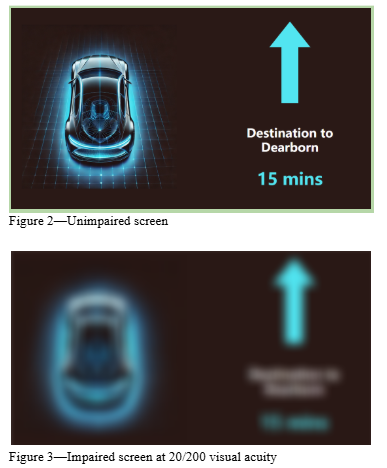
Rear-seat display
High-contrast route status and environment descriptions, synced with audio for redundancy.
"Maple"
A natural, calm voice character delivering synchronized, proactive prompts across all six tasks.
Hardware buttons
Two high-contrast, color-coded tactile buttons — no touchscreen required.
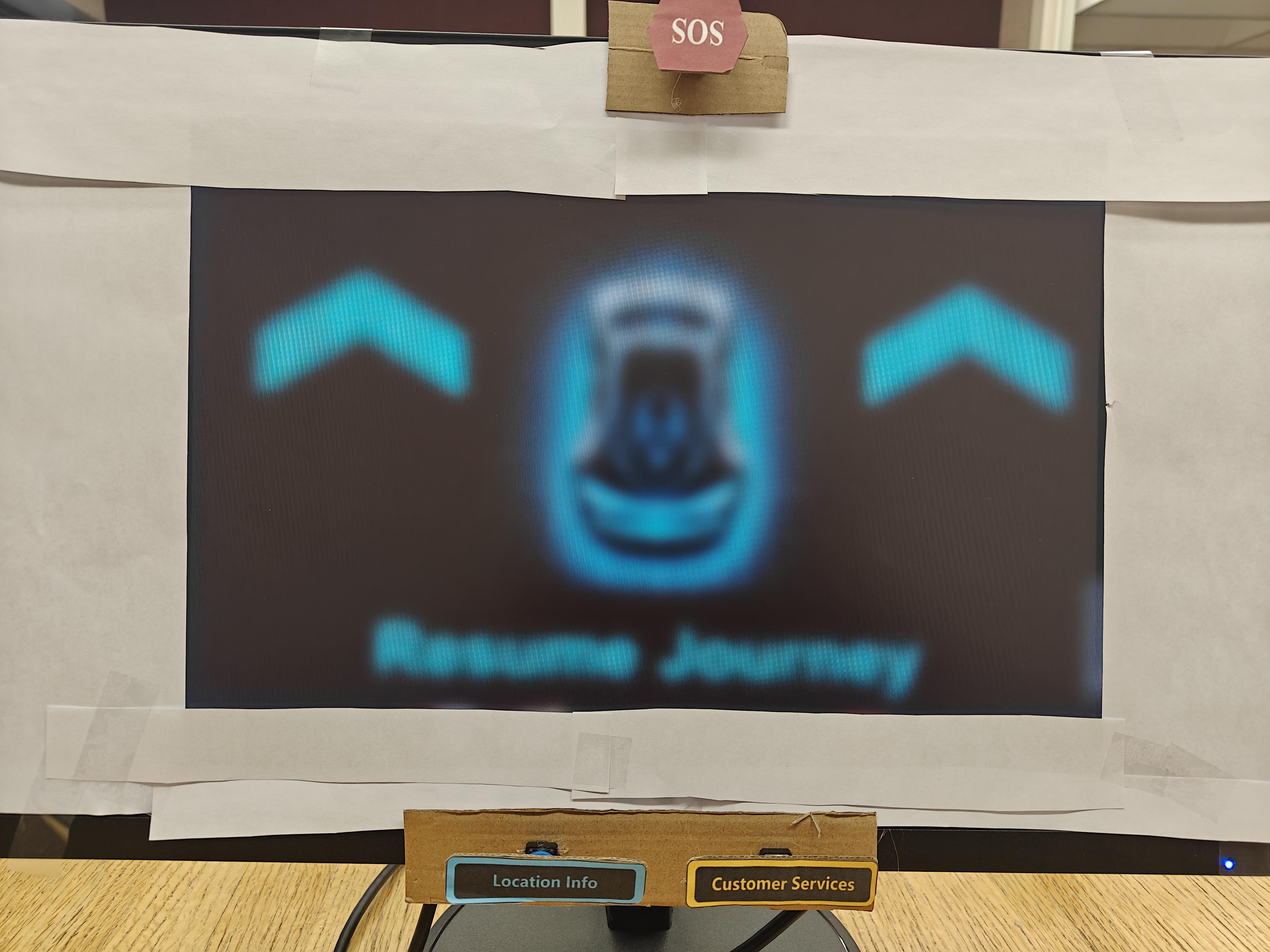
Wizard-of-Oz simulation replicating the rear-seat AV experience with synchronized audio and visual output.
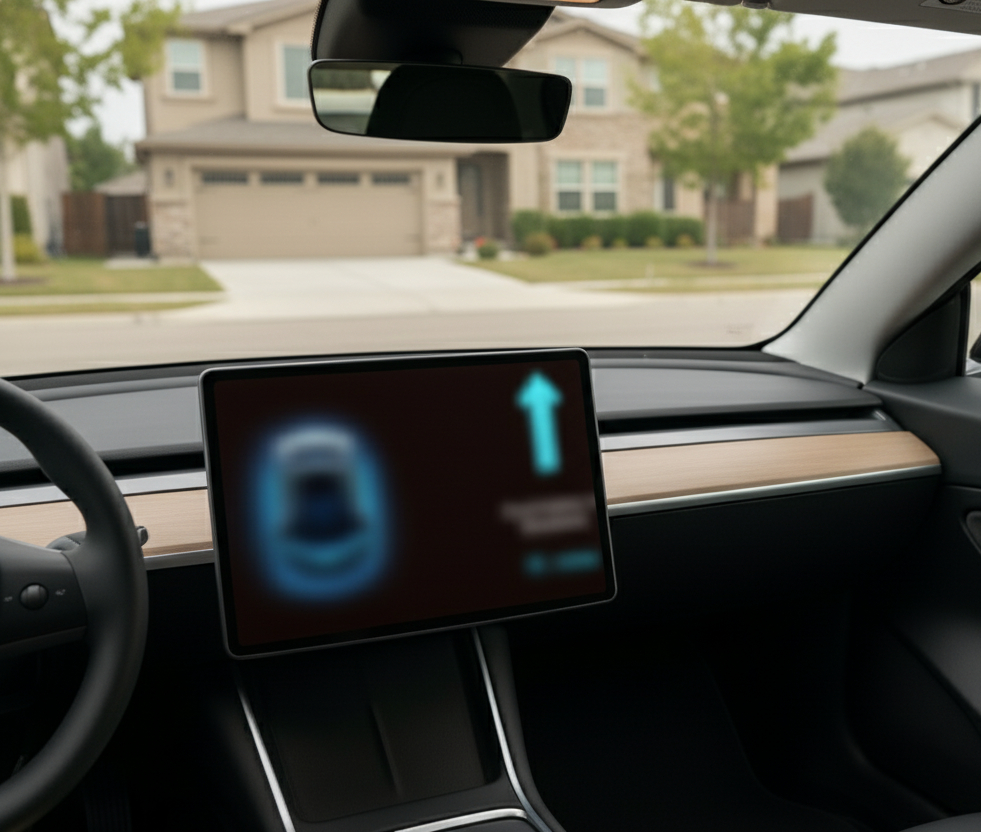
Full system mockup — the concept as deployed at scale.
Between-subjects. Three conditions.
Non-visually impaired
Sighted participants, full multimodal interface. The baseline.
Visually impaired + audio
Cambridge simulator, 20/200 acuity, full multimodal interface.
Visually impaired, no audio
Visual-only control — isolating audio's contribution.
Audio narrowed the gap.
Across trust, correct vehicle identification, and navigation, the multimodal condition restored performance for visually impaired riders to near-parity with sighted users. Visual-only was significantly worse (p < .05).
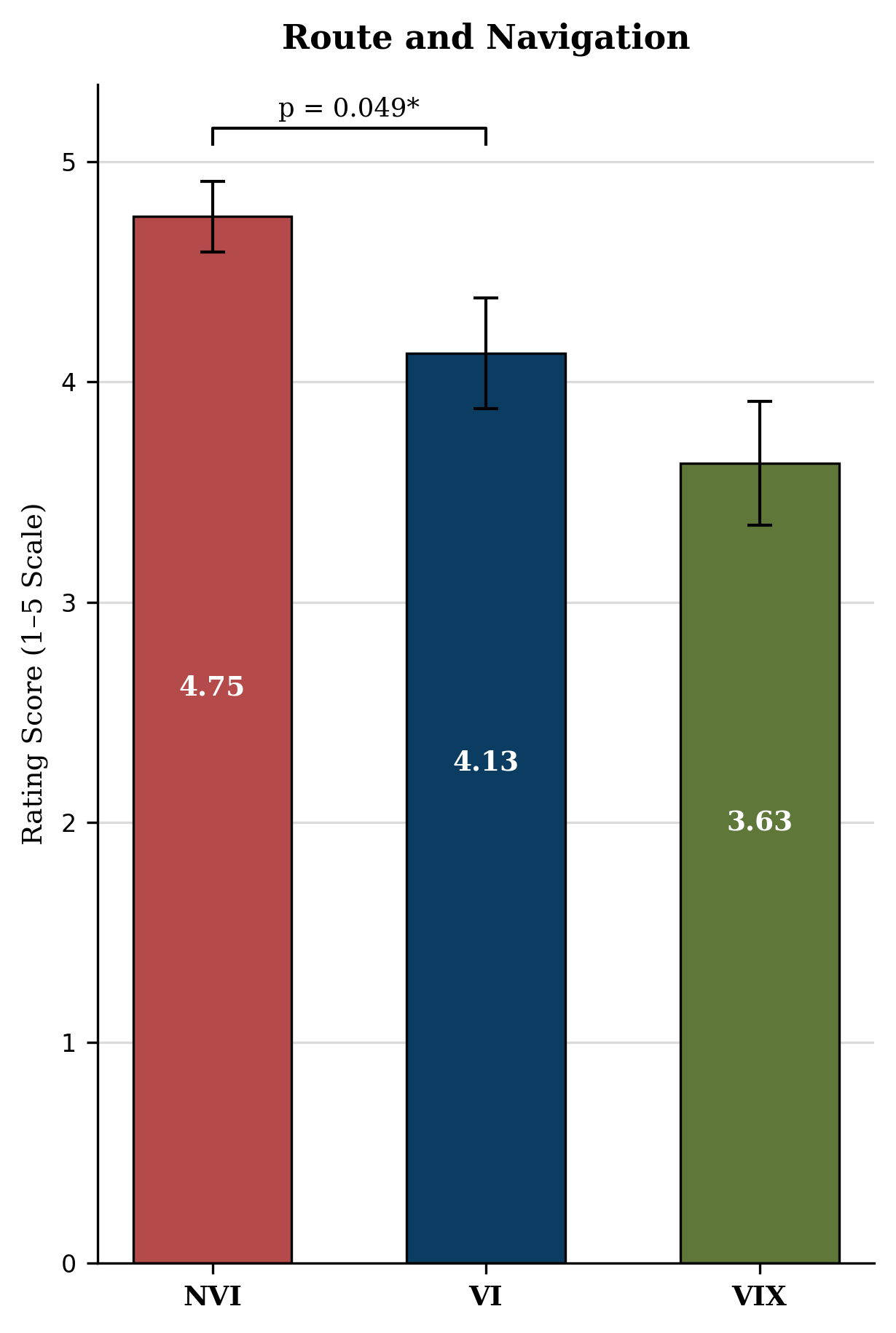
H1 supported — audio improved navigation confidence and route awareness.
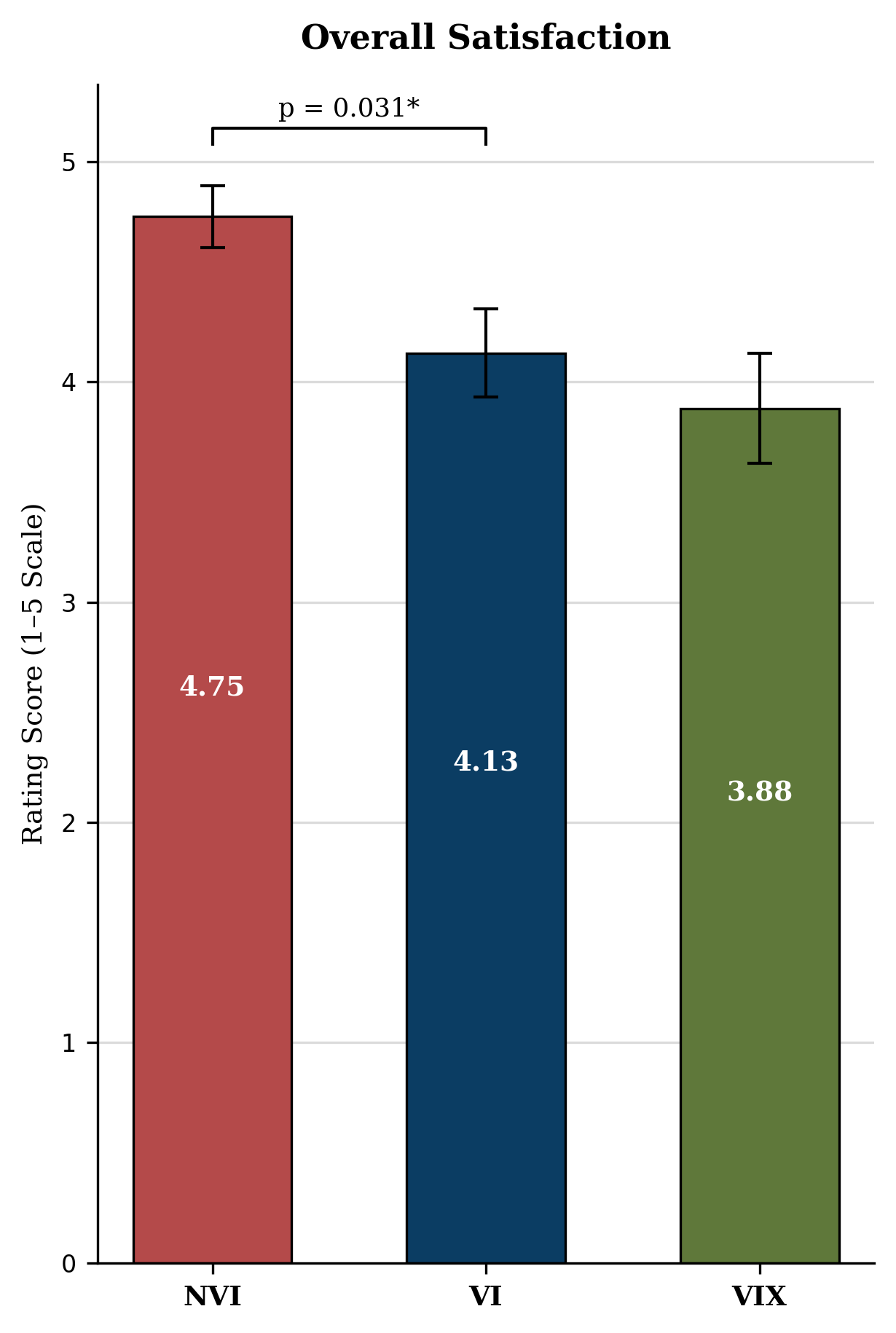
H2 supported — multimodal feedback enabled near-parity with sighted riders.
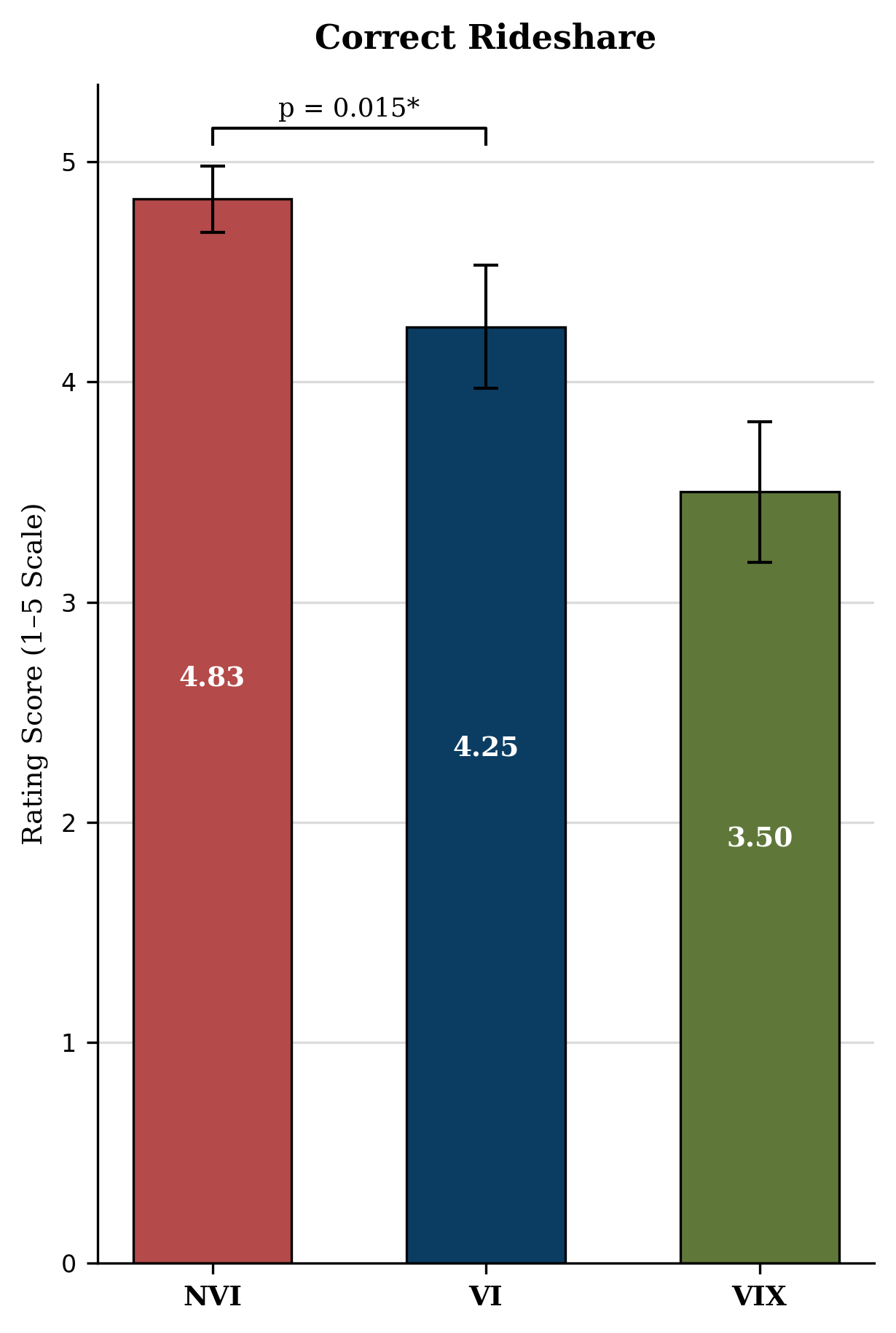
H3 supported — removing audio decreased trust and situational awareness.
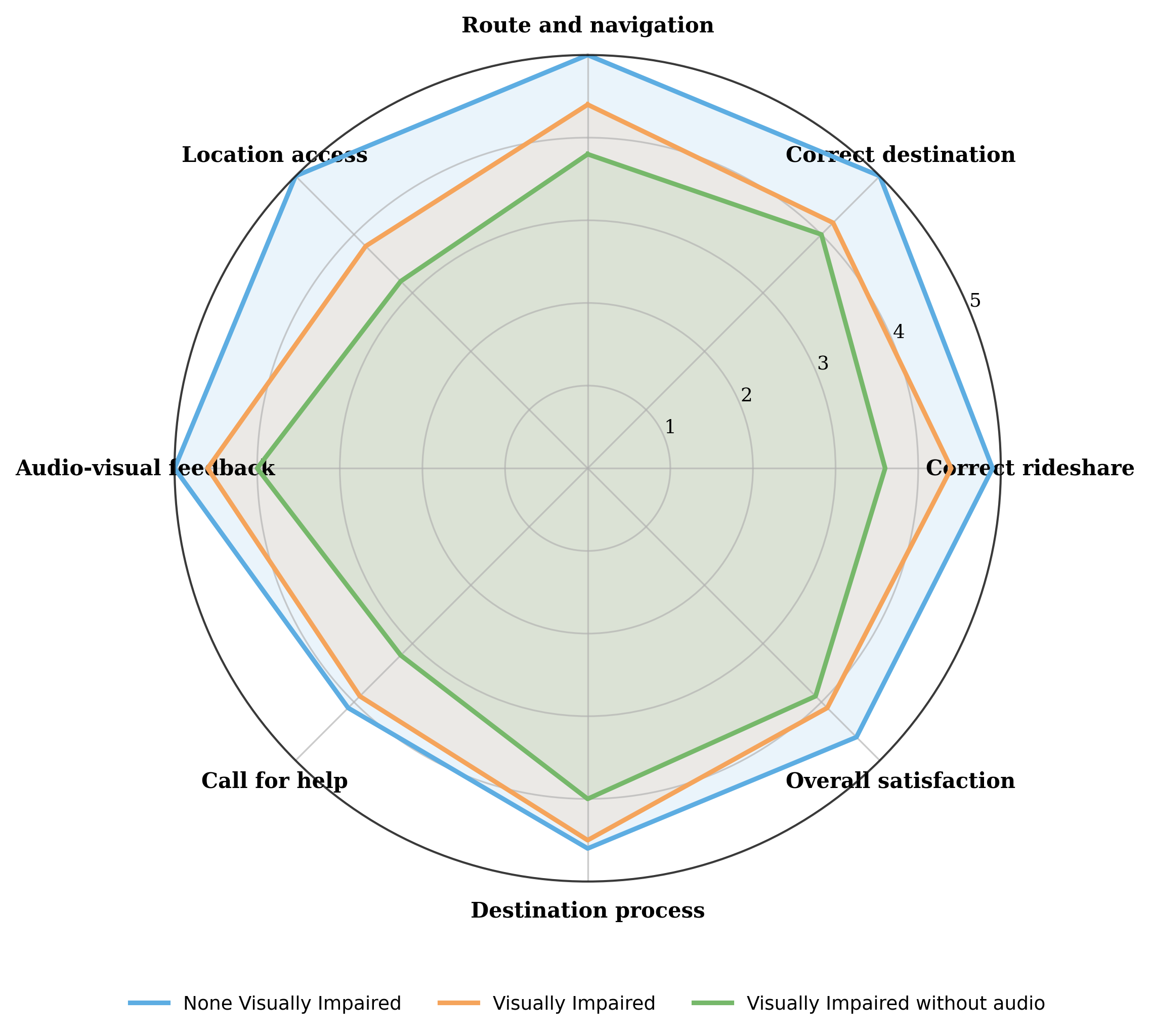
The full picture: multimodal audio-visual feedback improved route awareness, destination confidence, vehicle identification, and satisfaction versus visual-only. Honest nuance: audio narrowed the trust gap with sighted riders — it didn't fully close it.
Where this research goes next.
Field trials with blind and low-vision riders
Real AVs, varied road conditions — beyond the simulation environment. The highest priority.
Tri-modal redundancy
Seat-vibration haptics and localized speakers for riders with combined sensory impairments.
Personalization
Rider control over verbosity, pace, tone, and cue frequency — adapting to needs and anxiety levels.
A 2x2 replication
Impairment x audio condition — isolating whether sighted riders also benefit, strengthening the causal claim.