Case Study · Civic UX · Government Redesign
City of Dearborn
Redesigning a city government's permit and form completion process to increase user productivity, reduce completion time, and rebuild trust in public services.


Redesigning a city government's permit and form completion process to increase user productivity, reduce completion time, and rebuild trust in public services.
As mobile internet usage becomes increasingly common, users expect to complete tasks on their phones as easily as on a desktop. The City of Dearborn's forms and permits are integral parts of users' lives — but the system suffered from usability and navigation challenges that caused decreased productivity and eroded user trust.
A permit isn't just a form. It represents access to benefits, rights, and civic participation. When that process fails, it fails people who often have no alternative.
6 individuals — ages 23 to 63 — were asked to find a specific permit on the mobile site, then fill it out and locate where to send it as if they were going to submit it. The cognitive walkthrough revealed frustrations that were immediate and consistent.
A task analysis mapped the full permit process end-to-end with impairment and mobile constraints included — identifying where the experience broke down and why.


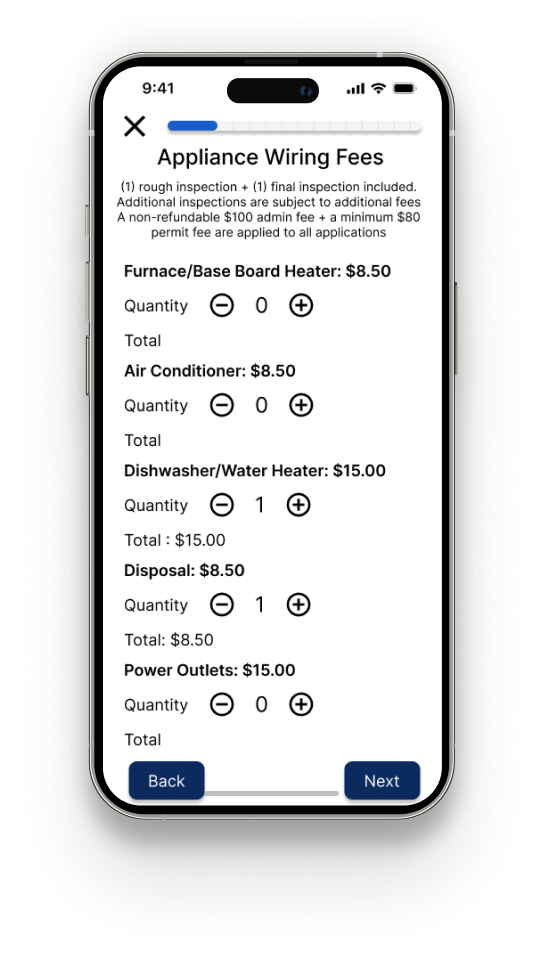
Each screen in the redesign directly addresses one of the three core gaps. The before/after comparison shows the scope of the change — same content, fundamentally different experience.

.png)

Participants were significantly faster in locating and completing permits using the redesigned system. Order of testing was randomized across participants to reduce bias.
.png)


.jpg)